QR codes help retail stores and e-commerce brands connect physical products with digital experiences. From product packaging and in-store navigation to post-purchase engagement and repeat purchase campaigns, QR codes improve customer experience and operational efficiency. This guide explains how QR codes are used in retail and e-commerce, real-world implementation examples, and how to deploy QR codes effectively for both small businesses and large retail operations.
Why QR Codes Matter in Retail and E-commerce
Retail and e-commerce businesses rely heavily on customer engagement, product information, and seamless purchasing experiences. QR codes provide a bridge between physical products and digital content, allowing customers to access product details, reviews, videos, and offers instantly. For physical retail stores, QR codes enhance in-store experiences by connecting shelves and packaging to online content. For e-commerce businesses, QR codes support marketing campaigns, post-purchase engagement, and repeat purchase strategies. This ability to connect offline and online touchpoints makes QR codes a valuable tool across modern retail ecosystems.
Key Benefits of Using QR Codes in Retail and E-commerce
QR codes improve customer experience by providing instant access to information without requiring manual searches. They reduce printing costs by shifting catalogs and manuals online. QR codes also support personalized marketing campaigns by directing customers to targeted landing pages. Businesses can track engagement and campaign performance when using dynamic QR codes. For both small retailers and large e-commerce brands, QR codes help create measurable interactions across packaging, stores, and marketing campaigns.
QR Code Use Cases in Retail Stores
a) Product packaging and labels
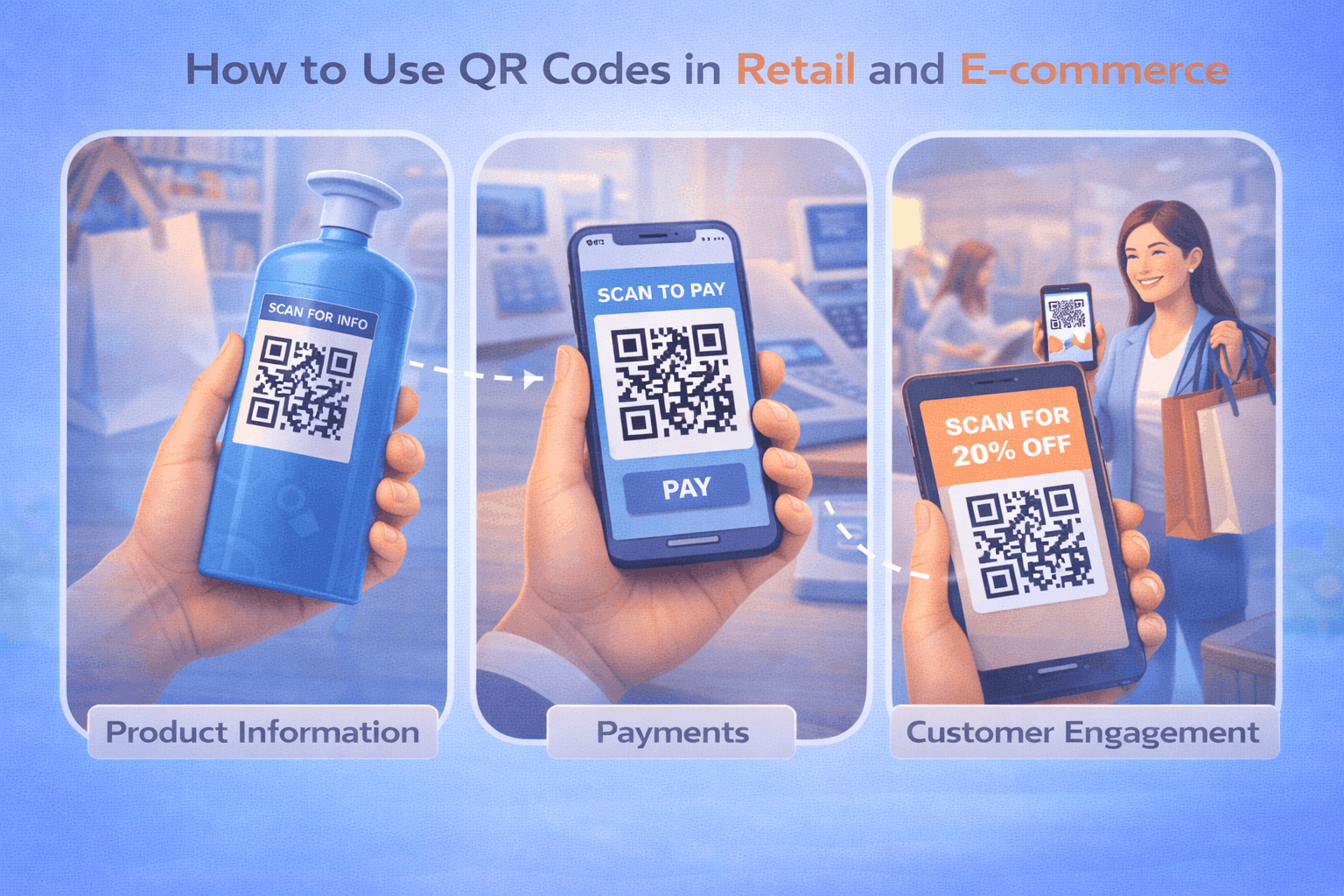
Retailers can place QR codes on product packaging to provide detailed product information, usage instructions, or demonstration videos. A link qr code can direct customers to product pages, while a file qr code can provide downloadable manuals or product catalogs.
b) In-store navigation and digital catalogs
Large retail stores can use QR codes to help customers navigate store sections or browse digital catalogs. Customers can scan a QR code to access product availability, store maps, or digital catalogs.
c) Loyalty and rewards programs
Retailers can use QR codes to enroll customers into loyalty programs or track reward points. QR codes linked to customer portals simplify registration and engagement.
d) Discounts, coupons, and promotions
Retailers often use QR codes to distribute discount coupons and promotional offers. A landing page qr code can direct customers to limited-time offers or campaign pages that can be updated without reprinting materials.
e) Contactless payments
QR codes enable fast and secure payments in retail environments. A payment qr code allows customers to complete transactions using mobile payment apps, reducing checkout time and improving convenience.
QR Code Use Cases in E-commerce
a) Product information and demos
E-commerce brands can include QR codes in packaging that link customers to product tutorials, setup guides, or demo videos. This improves customer experience and reduces support requests.
b) Post-purchase engagement and reviews
After a purchase, QR codes can direct customers to review pages or feedback forms. A review qr code helps businesses collect customer feedback and improve online reputation.
c) Social media and community building
Brands can use QR codes to connect customers to social media platforms, encouraging community engagement and brand loyalty. A social media qr code allows customers to follow brand pages quickly.
d) Subscription and repeat purchase campaigns
QR codes placed inside packaging can direct customers to subscription pages or repeat purchase offers. This helps e-commerce brands increase customer lifetime value and retention.
Real-World Implementation Examples in Retail and E-commerce
A clothing retailer may place QR codes on product tags to show styling videos and product availability online. A supermarket may use QR codes on shelves to display product origin and nutritional information. An electronics brand may include QR codes inside packaging that link to setup tutorials and warranty registration pages. An e-commerce company may include QR codes in delivery packages that direct customers to review pages or repeat purchase offers. These examples show how QR codes integrate into both physical retail and online commerce workflows.
How to Create QR Codes for Retail and E-commerce (Step by Step)
Creating QR codes for retail and e-commerce follows a simple three-step process.
- 1
Choose your QR code type: Select the relevant option from the available QR Code Types depending on your use case, such as link, file, landing page, payment, review, or social media QR codes.
- 2
Enter details or upload and Customize: Add your product page URL, downloadable catalogue, payment link, or review page. Customize the QR code while maintaining strong contrast and readability on packaging and printed materials.
- 3
Download and Share: Generate the QR code, download it in your preferred format, and test it across devices. Place it on product packaging, shelves, receipts, or marketing materials.
Tools like the QR Code Generator on Enqode QR follow this same flow, allowing businesses to manage multiple QR codes across products and campaigns.
Static vs Dynamic QR Codes for Retail Businesses
Static QR codes are suitable for permanent product pages or information that does not change frequently. Dynamic QR codes allow businesses to update links without replacing printed QR codes, making them ideal for promotions, seasonal campaigns, or product updates. For a detailed comparison, refer to Static vs Dynamic QR Codes: When and Why to Use Each. Businesses managing multiple campaigns or products may benefit from using a dynamic qr code generator or a qr code generator for business to manage QR codes at scale.
Best Practices for Using QR Codes in Retail and E-commerce
QR codes should include a clear call to action explaining what customers will access after scanning. Placement should ensure visibility and easy scanning on packaging or shelves. Linked pages must be mobile-friendly and load quickly to prevent drop-offs. Always test QR codes before printing large quantities of packaging. Each QR code should serve a clear purpose, such as product information, payment, or feedback.
Frequently Asked Questions
- Are QR codes useful for small retail businesses?
Yes. QR codes help small businesses provide digital catalogs, accept payments, and run promotions without large investments.
- Can QR codes increase repeat purchases?
Yes. QR codes can link customers to subscription pages, loyalty programs, and special offers that encourage repeat purchases.
- Do QR codes work for both physical retail and e-commerce?
Yes. QR codes connect physical products and packaging to digital platforms, making them useful for both retail stores and e-commerce businesses.
Conclusion
QR codes help retail and e-commerce businesses improve customer engagement, streamline operations, and increase sales opportunities. From product packaging and digital catalogs to payments and post-purchase engagement, QR codes create a seamless connection between physical and digital commerce. By selecting the right QR code types and following best practices, businesses can build scalable systems that support both marketing and operational goals.