Quick Summary
This guide explains how to create a QR code step by step, even if you’re a beginner. You’ll learn what a QR code is, what you need before creating one, how QR codes work, best practices to follow, common mistakes to avoid, and how to generate a QR code that scans reliably across devices.
What Is a QR Code
A QR code (Quick Response code) is a two-dimensional barcode that stores information such as a website link, contact details, text, files, or app links. When scanned using a smartphone camera or QR scanner, the stored information opens instantly without requiring manual typing.
QR codes are widely used because they bridge offline and online experiences. From product packaging and menus to marketing materials and event posters, QR codes make information easy to access with a single scan.
What You Need Before Creating a QR Code
Before creating a QR code, it’s important to be clear about the purpose of the QR code and the type of information you want to share. This could be a website URL, a PDF file, contact information, a location, or even a payment link.
You should also decide where the QR code will be used, such as on print materials, digital screens, packaging, or signage. This helps determine design choices like size, color contrast, and whether the QR code needs to be editable later.
How to Create a QR Code (Step-by-Step)
Creating a QR code is a simple process and usually takes only a few minutes. While the interface may differ depending on the platform, the overall steps remain consistent.
- Choose your QR code type: Start by selecting the type of QR code you want to create based on your use case. Options are available under QR Code Types, such as link, file, Wi-Fi, WhatsApp, and more.
- Enter your details & Customize: Add the required information, such as a URL, text, file, or contact details. You can then customize the QR code by adjusting color's, adding a logo, or modifying the design while ensuring it remains easy to scan.
- Download & Share: Once the QR code is generated, download it in your preferred format and test it across multiple devices. After testing, you can confidently share it digitally or use it in print materials.
Platforms like Enqode QR follow this same three-step approach, making it easy to create and manage different QR codes from one dashboard.
Why Use a QR Code
QR codes make sharing information faster and more convenient. Instead of typing long URLs or searching manually, users can scan a QR code and access content instantly.
They also reduce errors caused by manual input and improve the overall user experience. QR codes work across devices, require no additional apps in most cases, and can be used in both online and offline environments.
Common Use Cases of QR Codes
QR codes are commonly used on marketing materials to direct users to websites, landing pages, or promotions. Restaurants use QR codes for digital menus, while event organizers rely on them for registrations, schedules, and tickets.
They are also used to share contact details, download files, collect reviews, enable payments, and provide location directions, making them useful for both businesses and individuals.
Best Practices for Creating QR Codes
Always ensure there is enough contrast between the QR code and its background so it can be scanned easily. Avoid placing QR codes on cluttered or reflective surfaces that may interfere with scanning.
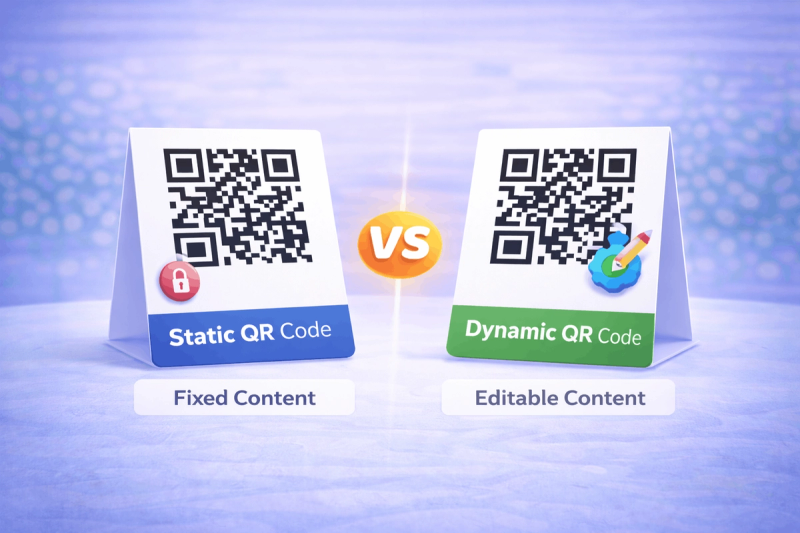
Choose the QR code size based on the expected scanning distance and test it across multiple devices and lighting conditions. If the linked content may change over time, using an editable QR code can help avoid reprinting.
Common Mistakes to Avoid
One common mistake is failing to test the QR code before sharing or printing it. Even small design or content errors can make a QR code difficult to scan.
Using poor color contrast, placing QR codes where they are hard to reach, or linking to broken pages can frustrate users and reduce trust. Always ensure the QR code leads to relevant and working content.
FAQs About Creating QR Codes
- Can I create a QR code for free?
Yes, many QR code generators allow you to create QR codes for free for basic use cases such as sharing links or text.
- Do QR codes expire?
QR codes themselves do not expire, but the content they link to may change or become unavailable depending on how they are created.
- Can I edit a QR code after creating it?
Yes. With dynamic QR codes, you can update the destination content even after the QR code has been shared..
- Do QR codes work without the internet?
QR codes that store text or Wi-Fi details can work without internet access, while QR codes that link to online content require a connection.
Final Thoughts & Next Steps
Now that you understand how QR codes work and how to create one, you can start using them to share information more efficiently. Following best practices will ensure your QR codes scan reliably and provide a smooth experience for users.
To explore specific QR code types in detail, you can browse the QR Code Types available on Enqode QR and create the QR code that best fits your needs.